WiFi has become an essential part of everyday life. From smart homes and IoT devices to online work, streaming, and gaming, a stable wireless connection is no longer optional. Unfortunately, many homes and offices suffer from weak WiFi signals, resulting in frustrating dead zones where devices struggle to stay connected.
Commercial WiFi extenders offer a solution, but they often come with limitations. Many are expensive, provide limited customization, lock users into proprietary firmware, or hide useful network information. If you’re an electronics enthusiast or maker, there’s a better alternative.
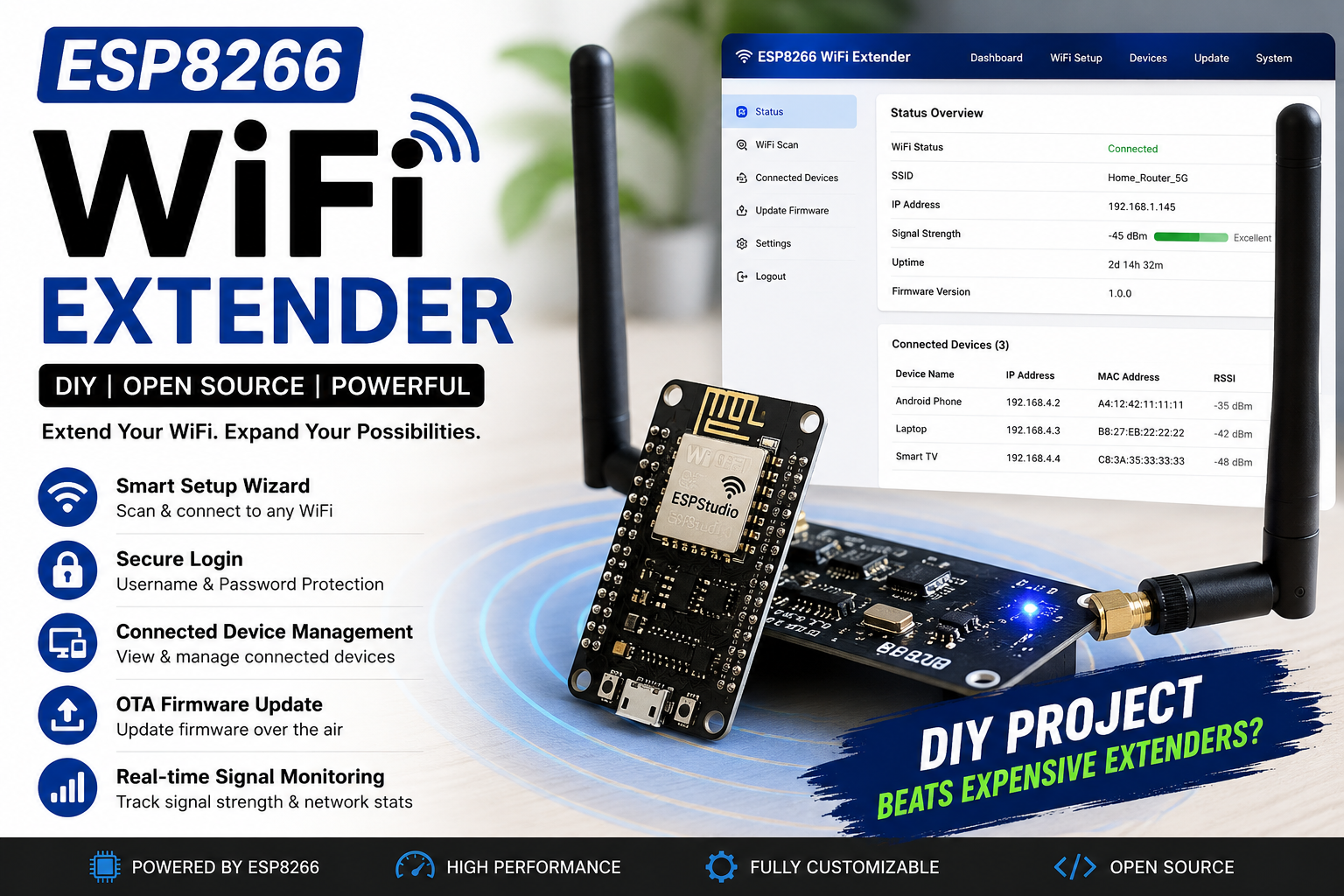
The ESP8266 WiFi Extender from ESPStudio is a fully customizable, open-source solution designed to extend the range of your existing wireless network while giving you complete control over configuration, monitoring, and future upgrades.
Unlike many DIY repeater projects that require editing source code for every configuration change, this project features a modern browser-based management interface. Users can scan nearby WiFi networks, choose the network to extend, enter the password, manage connected devices, update firmware over the air, and monitor network status—all without reconnecting the device to a computer.
Whether you’re improving WiFi coverage in your home, extending connectivity to a garage, workshop, basement, or testing networking concepts, this project demonstrates the flexibility of the ESP8266 platform.
Why Build Your Own WiFi Extender?
There are several reasons why building your own WiFi extender can be more rewarding than purchasing a commercial device.
Complete Control
Commercial extenders usually expose only a limited set of configuration options. A DIY solution allows you to decide how the device behaves, what information it displays, and which features are available.
Open Source
Because the firmware is open source, you are free to study, modify, and improve it. You are not dependent on manufacturer updates or proprietary software.
Low Cost
The ESP8266 is one of the most affordable WiFi microcontrollers available. A complete extender can be built for a fraction of the cost of many commercial devices.
Continuous Improvements
Since the firmware supports OTA (Over-the-Air) updates, you can continue adding new features without opening the enclosure or connecting a USB cable.
Educational Value
Building a WiFi extender is an excellent way to learn about:
- Wireless networking
- Embedded programming
- ESP8266 development
- Web server design
- User authentication
- Network management
- IoT firmware architecture
Common WiFi Problems
Weak WiFi signals are usually caused by one or more of the following:
- Thick concrete walls
- Long distances from the router
- Multiple floors
- Metal structures
- Electrical interference
- Poor router placement
- Large houses
- Basement installations
Symptoms include:
- Slow downloads
- Video buffering
- Smart devices disconnecting
- High latency
- Poor video call quality
- Weak signal strength
- Frequent reconnections
An extender helps by receiving the existing WiFi signal and rebroadcasting it into areas where the original router cannot provide reliable coverage.
Introducing the ESP8266 WiFi Extender by ESPStudio
The ESPStudio WiFi Extender is more than just a basic repeater. It combines networking functionality with a professional web-based management system, making it easy for users to configure and maintain.
Key highlights include:
- Browser-based setup
- Modern responsive dashboard
- WiFi network scanner
- OTA firmware updates
- Login authentication
- Device monitoring
- Real-time network statistics
- Easy firmware upgrades
- Open-source architecture
- DIY-friendly design
The goal is to deliver a user experience comparable to many commercial WiFi extenders while retaining the flexibility and transparency of an open-source project.
Key Features
Smart WiFi Setup Wizard
The setup wizard simplifies the initial configuration process. When the device is powered on for the first time, it starts in setup mode and creates its own temporary access point.
After connecting to this setup network, users are presented with a web page that automatically scans for nearby WiFi networks.
The wizard allows users to:
- Scan available WiFi networks
- View signal strength
- Select a preferred network
- Enter the WiFi password
- Save settings permanently
- Restart and connect automatically
This eliminates the need to hard-code network credentials into the firmware.
Automatic WiFi Network Scanning
The firmware continuously supports scanning nearby wireless networks and displays useful information such as:
- SSID (Network Name)
- RSSI (Signal Strength)
- Encryption Type
- Channel Number
- Security Status
This information helps users select the strongest and most suitable network for extension.
Responsive Web Dashboard
The web dashboard has been designed with ease of use in mind. It adapts seamlessly to desktops, tablets, and smartphones, providing a clean and intuitive interface.
The dashboard displays:
- Current WiFi status
- Signal strength
- Connection uptime
- IP address
- Gateway information
- Firmware version
- Memory usage
- Connected clients
- Device status
Users can access the dashboard from any device connected to the extender without installing additional software.
Secure Login Authentication
Network settings should not be accessible to everyone. The ESP8266 WiFi Extender includes a secure login system that restricts access to the administration interface.
Features include:
- Username and password protection
- Session-based authentication
- Secure configuration access
- Password change support
- Logout functionality
This ensures that only authorized users can modify network settings or perform firmware updates.
Over-the-Air (OTA) Firmware Updates
One of the most convenient features of the ESP8266 Wifi Extender is its ability to receive firmware updates wirelessly.
With OTA support, users can:
- Install new firmware from a browser
- Add new features
- Apply bug fixes
- Improve performance
- Upgrade security
- Avoid connecting a USB cable
This makes maintaining the extender significantly easier, especially after installation in hard-to-reach locations.
Connected Device Monitoring
The dashboard provides visibility into devices using the extender.
Users can monitor:
- Connected clients
- Device IP addresses
- MAC addresses
- Connection status
- Total number of connected devices
This feature helps identify active devices and understand network usage.
Intelligent Configuration Storage
All user settings are stored in the ESP8266’s flash memory, ensuring that the extender retains its configuration even after power loss.
Stored settings include:
- WiFi credentials
- Login credentials
- Device name
- User preferences
- Network configuration
This allows the extender to reconnect automatically after a reboot without requiring reconfiguration.
Lightweight and Efficient Design
The firmware is optimized to make efficient use of the ESP8266’s limited memory and processing resources. By keeping the interface responsive and minimizing unnecessary overhead, the extender delivers reliable performance while leaving room for future feature additions.
🎮 Try the Live ESP8266 WiFi Extender Dashboard
How the ESP8266 WiFi Extender Works Internally
The ESP8266 WiFi Extender is built around the powerful WiFi capabilities of the ESP8266 microcontroller. It acts as a bridge between your existing wireless router and the devices that need better signal coverage. Internally, the firmware combines networking, web server functionality, configuration management, and system monitoring to provide a seamless user experience.
Unlike traditional commercial WiFi extenders that hide their internal operations, this open-source project gives you complete visibility into how the device works. Every module can be customized, upgraded, or expanded according to your requirements.
Dual WiFi Operation in ESP 8266 WiFi Extender
One of the most important features of the ESP8266 Wifi Extender is its ability to operate in different WiFi modes.
The extender uses two modes:
Station (STA) Mode
In Station Mode, the ESP8266 connects to your existing WiFi router just like a smartphone or laptop. During the initial setup, the user selects the desired WiFi network from the web interface and enters the password. Once the credentials are saved, the ESP8266 automatically reconnects to the router whenever it powers on.
Responsibilities of Station Mode include:
- Connecting to the primary WiFi network
- Receiving internet access
- Monitoring signal strength (RSSI)
- Automatically reconnecting if the connection drops
- Displaying network status on the dashboard
Access Point (AP) Mode
At the same time, the ESP8266 creates its own wireless network (Access Point). Nearby devices can connect to this network to access the internet through the extender or open the management dashboard.
The Access Point handles:
- Broadcasting the extender’s SSID
- Accepting client connections
- Providing IP addresses through DHCP
- Hosting the configuration portal
- Managing administrator access
Operating in AP + STA mode allows the extender to remain connected to the main router while simultaneously serving wireless clients.
⚡ Download Project Firmware & Source Code
Download the complete Arduino sketch, web interface files, and all required resources to build this ESP8266 WiFi Extender project on your own.
Discover my open-source ESP8266 WiFi Extender and IoT projects on GitHub. Browse the source code, contribute to the projects, report issues, or stay updated with future releases.